
Python and SQLite make drug shortage tracking reliable, efficient, and change-driven.
Avoiding redundant outputs and focusing only on real changes makes drug shortage tracking both more efficient and more reliable. Python and SQLite work together to compare new data with existing records, ensuring updates occur only when needed and visualizations remain clear and accurate.
Key Points
- Direct access to the FDA API reduces manual downloads and processing.
- JSON normalization integrates smoothly with existing Python cleaning steps.
- SQLite compares new data with stored records, updating only when changes occur.
- Tableau visualizations use dynamic titles, color coding, and brand-specific calculations.
- The approach avoids redundant file creation, ensuring efficient and reliable tracking.
Introduction
Direct access to the FDA’s drug shortage API makes it possible to pull only the records that matter, keep them current in SQLite, and preserve a history of shortages long after the FDA stops reporting them.
Evolution of the Program
Version 1
Direct CSV retrieval into Python.
Required downloading and cleaning the full dataset (~2,000 records).
Version 2
Manual CSV downloads after FDA removed direct CSV access.
Same cleaning steps but more manual overhead.
Version 3 (current)
Uses the FDA’s API, downloading only the needed subset (currently 24 records).
Normalizes JSON into a flat table with renamed columns for compatibility.
Relies on SQLite for storage, ensuring only new rows are added or changed rows are updated.
Preserves resolved shortages in the database, even after the FDA stops reporting them six months post-resolution. For example, 12 records disappeared from the download in July, but they remain in the dataset marked as resolved.
Key Improvements
Efficiency
API access eliminates the need to repeatedly download and clean large files.
Data Integrity
SQLite updates rows selectively and maintains historical resolution data.
Clarity
Normalization makes the JSON structure usable without disrupting existing workflows.
Code Highlights
The program uses Python and SQLite together in Jupyter, but with a twist: instead of always appending and exporting data, it first checks for changes. A new output file for Tableau is only created when there are updates or new entries.
1. SQL Magic Configuration
Configures Jupyter to handle parameterized SQL queries cleanly and suppress unnecessary output.
# Set SQL Magic options
%config SqlMagic.named_parameters = "enabled"
%config SqlMagic.feedback = False
2. Normalize JSON Input
Parses the API response and flattens JSON into a table so it can be compared with the existing database.
# Check if the request was successful
if response.status_code == 200:
    # Parse the JSON content
    data = response.json()
    # Normalize the JSON data to a flat table
    if 'results' in data:
        df0 = pd.json_normalize(data['results'])
        print(df0.head())  # Display the first few rows
    else:
        print("No 'results' key found in the JSON response.")
else: # If the request was unsuccessful
    print(f"Failed to retrieve the json file. Status code: {response.status_code}")
3. Compare and Update Logic
Checks whether each record already exists. If a newer update is detected, it updates the record; otherwise, it inserts new rows.
# Initialize counters and lists for updates and inserts
updates = 0
inserts = 0
updated_rows = []
inserted_rows = []

# Iterate through the cleaned dataset and prepare variables
for _, row in df0.iterrows():
    dosage = row["Dosage"]
    new_date = row["Date of Update"]

    brand = row["Brand Name"]
    generic = row["Generic Name"]
    company = row["Company Name"]
    admin = row["Administration"]
    dose = row["Dose"]
    update_type = row["Type of Update"]
    avail = row["Availability Information"]
    related = row["Related Information"]
    reason = row["Reason for Shortage"]
4. Update Summary
Provides counts of updates and inserts, making the workflow transparent.
# Display counts of updates and inserts
print(f"Updated rows: {updates}")
print(f"Inserted rows: {inserts}")
Displays which rows were updated or inserted.
# Display updated and inserted rows
if updated_rows:
    print("\n--- Updated Rows ---")
    for dosage, date in updated_rows:
        print(f"Updated: {dosage} → {date}")

if inserted_rows:
    print("\n--- Inserted Rows ---")
    for dosage, date in inserted_rows:
        print(f"Inserted: {dosage} → {date}")
5. Conditional Output to CSV for Tableau
Only writes a new CSV file when changes are found, preventing unnecessary churn.
# Write the cleaned data to a CSV file without the index if there are updates or inserts
if updates > 0 or inserts > 0:
    df1.to_csv('Drugshortages_cleaned.csv', index=False)
    print("CSV file updated.")
else:
print("No changes detected. CSV not updated.")Tableau Visualizations
After cleaning and saving, the data is ready for visualization in Tableau. This step turns the dataset into an accessible view, with dynamic titles, color coding, and brand-specific details that make shortages easier to interpret.
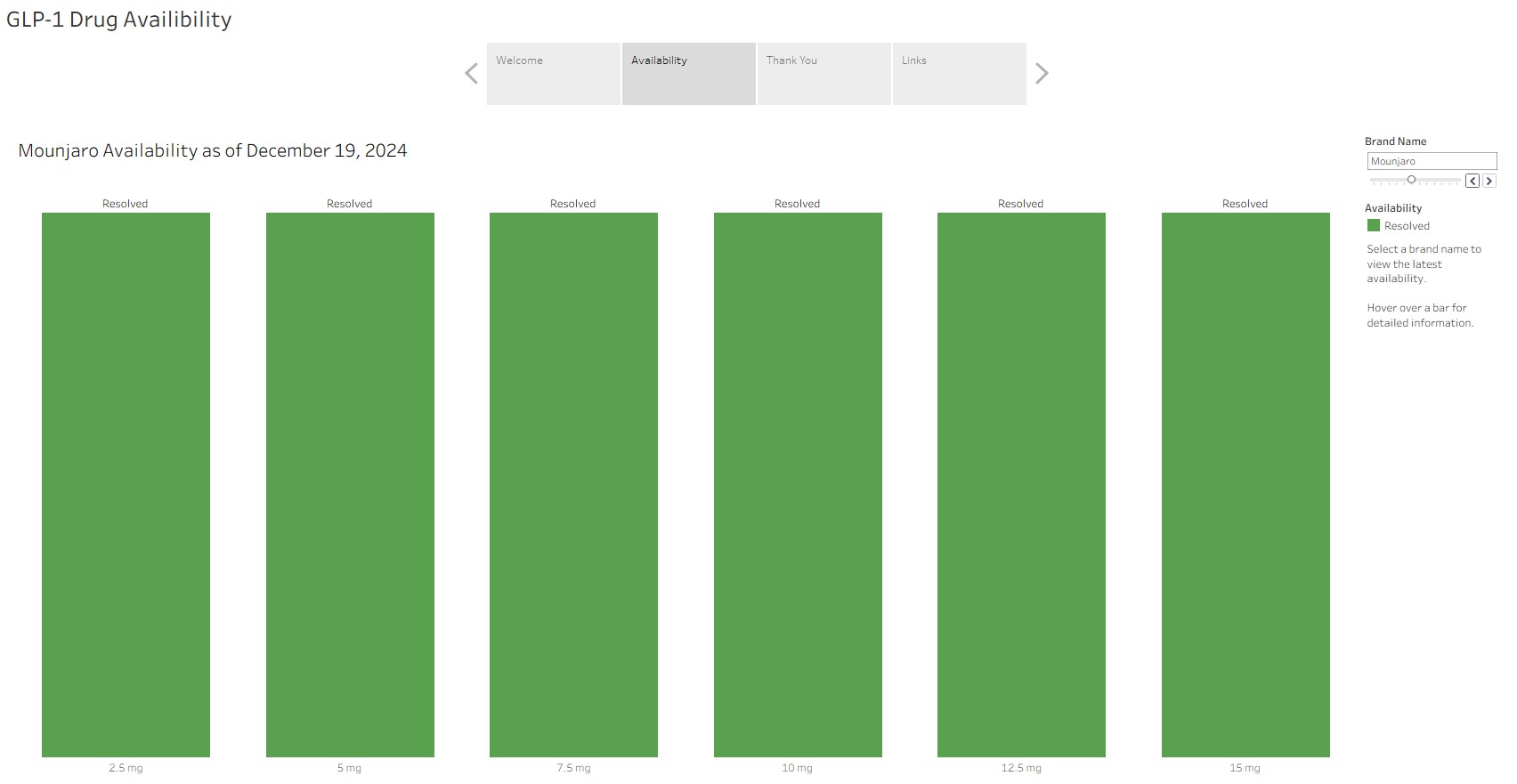
Dynamic Titles, Dates and Availability Information
The title, ‘as of’ date, and availability information dynamically update based on the selected brand name.
Color Coding (Color Blind Friendly)
Resolved: Represented by green bars.
Available: Represented by light teal bars.
Limited Availability: Represented by orange bars.
Discontinued: Represented by red bars.
Handling Brand-Specific Data in Tableau
For Victoza and generic liraglutide, which have two National Drug Codes (NDCs) each for the same dose (6 mg pens) but no further differentiation, they are actually a 2-pen pack and a 3-pen pack. A calculated field in Tableau maps each NDC to its correct pen-pack size.
Calculated Field Name: Dose for Viz
IF [DoseViz] = "6 mg"
AND CONTAINS([Dosage], "NDC 0169-4060-12")
THEN "6 mg 2 Pen Pack"
ELSEIF [DoseViz] = "6 mg"
AND CONTAINS([Dosage], "NDC 0169-4060-13")
THEN "6 mg 3 Pen Pack"
ELSEIF [DoseViz] = "6 mg"
AND CONTAINS([Dosage], "NDC 0480-3667-20")
THEN "6 mg 2 Pen Pack"
ELSEIF [DoseViz] = "6 mg"
AND CONTAINS([Dosage], "NDC 0480-3667-22")
THEN "6 mg 3 Pen Pack"
ELSEIF [DoseViz] = "6 mg"
AND CONTAINS([Dosage], "NDC 0143-9144-02")
THEN "6 mg 2 Pen Pack"
ELSEIF [DoseViz] = "6 mg"
AND CONTAINS([Dosage], "NDC 0143-9144-03")
THEN "6 mg 3 Pen Pack"
ELSEIF [DoseViz] = "6 mg"
AND CONTAINS([Dosage], "NDC 71288-563-84")
THEN "6 mg 3 Pen Pack"
ELSEIF [DoseViz] = "6 mg"
AND CONTAINS([Dosage], "NDC 71288-563-85")
THEN "6 mg 2 Pen Pack"
ELSE [DoseViz]
END
Visualizations at Tableau Public
Final Thoughts
The combination of Python and SQLite here goes beyond routine data collection and storage. The program evaluates whether an update has occurred before writing a new output file, ensuring Tableau only receives a refreshed dataset when something has actually changed. This distinction sets it apart from the more common “append and save” workflows, making shortage tracking more efficient, reliable, and sustainable.
Resources